

Most payroll teams treat "testing" as running the current pay period, eyeballing the totals, and hitting approve. That works right up until your provider pushes a tax-table update, or you add a new deduction code, or someone tweaks the overtime rule for one department. Then suddenly six people are short $40, one salaried employee gets paid twice, and nobody notices until the complaints start.
The fix isn't more manual review. It's a repeatable set of tests you run against a synthetic pay run every time something changes. That's payroll regression testing — and it works because you're checking whether old, known-good behavior still holds after a change, instead of hoping you'll spot the break by staring at a register.
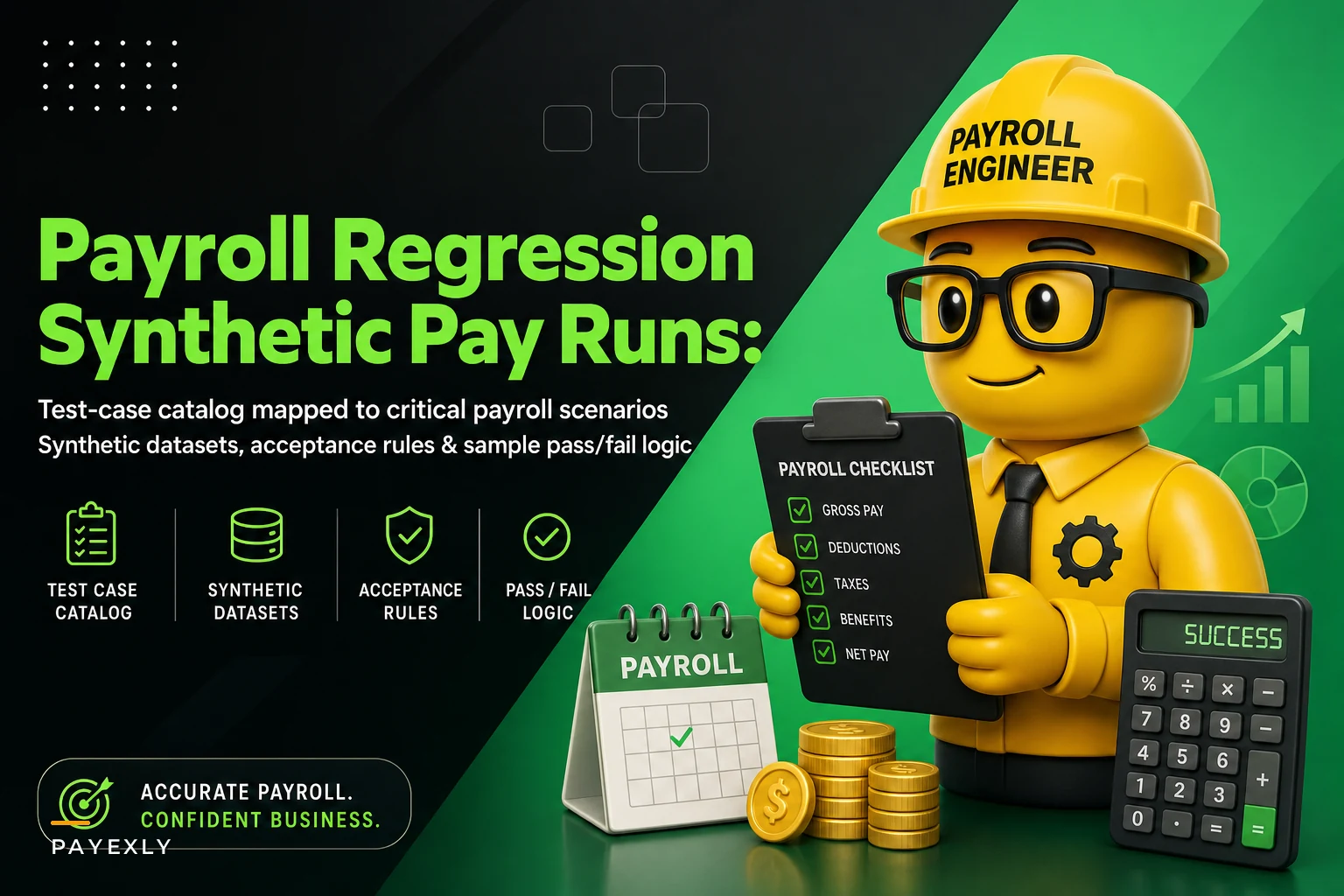
This post covers the actual catalog: which scenarios to test, how to build fake datasets that trigger those scenarios, and what your pass/fail rules should look like so the whole thing can run without a human interpreting every line.
Why "it ran fine last period" is a false signal
The trap with payroll is that a bad change often produces a plausible result. If a mid-period rate change silently stops applying, the paycheck still generates. It still has a number on it. It's just the wrong number. Nothing errors out.
This usually happens when a change touches one narrow path that your normal pay run doesn't exercise. Say you only have three employees on garnishments. A tweak to the deduction-priority logic won't show up in the aggregate totals — the three affected checks are a rounding error against a $200k gross. You approve, remit, and the levy gets underpaid. Three weeks later the agency sends a notice.
The point of a regression suite is to deliberately run the edge cases every single time, even when this period's real employees don't include any of them. You keep a permanent cast of synthetic employees who each represent a scenario you never want to break.
The synthetic dataset approach
You don't test against real employee data. You build a fixed roster of fake employees, each engineered to hit a specific rule. Think of them as tripwires. If a change breaks the overtime cascade, your overtime tripwire employee fails, and you know before anyone real gets paid.
Eliminate payroll errors and delays.
Payexly streamlines every payroll cycle ensuring accuracy and compliance.
- Automated payroll processing
- Real-time tax compliance
- Benefits & deductions management
No credit card required
A good synthetic roster stays small and intentional. Every fake employee exists to test something. Here's a starter template:
| Synthetic ID | Represents | Key traits | What it protects |
|---|---|---|---|
| SYN-001 | Standard hourly, no extras | 40 hrs, one rate, standard withholding | Baseline — proves the happy path |
| SYN-002 | Overtime + shift diff | 46 hrs, 2 pay rates, weekend premium | OT calc + rate stacking |
| SYN-003 | Mid-period rate change | Rate changes on day 3 of period | Proration and effective-dating |
| SYN-004 | Multi-jurisdiction | Works in two states same period | State tax splitting |
| SYN-005 | Garnishment + levy | Two competing withholding orders | Deduction priority order |
| SYN-006 | Cap-hitting deductions | 401k near annual limit | Contribution ceiling logic |
| SYN-007 | Negative net edge | High pre-tax deductions vs low gross | Negative-net prevention |
| SYN-008 | Terminated mid-period | Final check + PTO payout | Termination + accrual payout |
| SYN-009 | Retro adjustment | Prior-period correction this run | Retro math without double-pay |
Each of these has a known expected output. That's the part people skip. A synthetic employee with no locked-in expected result is just noise. You calculate SYN-002's correct gross, taxes, and net once — by hand or in a spreadsheet — get finance to sign off on it, and freeze it as the golden answer.
From then on, every test run compares the system's output for SYN-002 against that frozen number. Match = pass. Mismatch = something changed, go find out why.
Writing acceptance criteria that a machine can check
Vague acceptance criteria are useless. "Payroll should be accurate" can't be automated. You need rules stated as concrete comparisons.
The pattern that works: for [synthetic employee], [specific field] must equal [exact value] within [tolerance].
-
SYN-001
net pay must equal
$1,142.37exactly. Tolerance: $0.00. -
SYN-002
overtime hours must equal
6.0; OT rate must equal1.5 × base. Gross within $0.01. -
SYN-005
garnishment #1 (child support) must be withheld before garnishment #2 (creditor levy); remaining disposable income must respect the CCPA cap.
-
SYN-007
net pay must be ≥ $0.00. If the calculation produces a negative, the run must halt — not auto-zero.
That last one matters more than it looks. A common mistake is writing a rule that says "net can't be negative" and having the system silently clamp it to zero. Now you've hidden a real problem — an employee whose deductions exceed their pay — behind a passing test. The acceptance rule should force a stop and flag, not a quiet correction.
Tolerances are where judgment comes in. Tax withholding can legitimately shift by a cent due to rounding method differences, so a $0.01 tolerance on individual taxes is reasonable. Net pay to the employee? Zero tolerance. A penny short is still a payroll error to the person receiving it.
Pass/fail rules: three tiers, not two
The instinct is to make everything pass-or-fail. In practice you want three outcomes, because not every mismatch means "abort the release."
-
Hard fail (block the release). Net pay wrong. Tax jurisdiction wrong. Garnishment priority wrong. Negative net produced. These are non-negotiable — nothing goes to production with any of these red.
-
Soft fail (review required). A value changed but within a range that could be a legitimate tax-table update. Example: SYN-001's federal withholding moved by $3 after a provider update. Probably correct, but a human confirms it's the expected new table before it gets blessed as the new golden value.
-
Pass. Output matches the frozen expected value within tolerance.
One pattern worth borrowing: when a soft fail turns out to be legitimate, you don't just approve it — you update the golden value and note why. Over time, your expected-results file becomes a change log. Six months later when someone asks why SYN-001's federal withholding went up in March, the answer is right there.
A workable regression workflow
You keep your synthetic roster and frozen expected values in one place. Whenever a change is coming — a provider update, a new dedication code, a rule adjustment, a version upgrade — you don't apply it to live payroll first. You spin up a copy of the pay engine in a sandbox or staging environment, load the synthetic roster, and run a full pay calculation against it.
The run produces outputs for all nine synthetic employees. Those outputs get compared field-by-field against the frozen expected values. The comparison produces pass / soft-fail / hard-fail per employee per field.
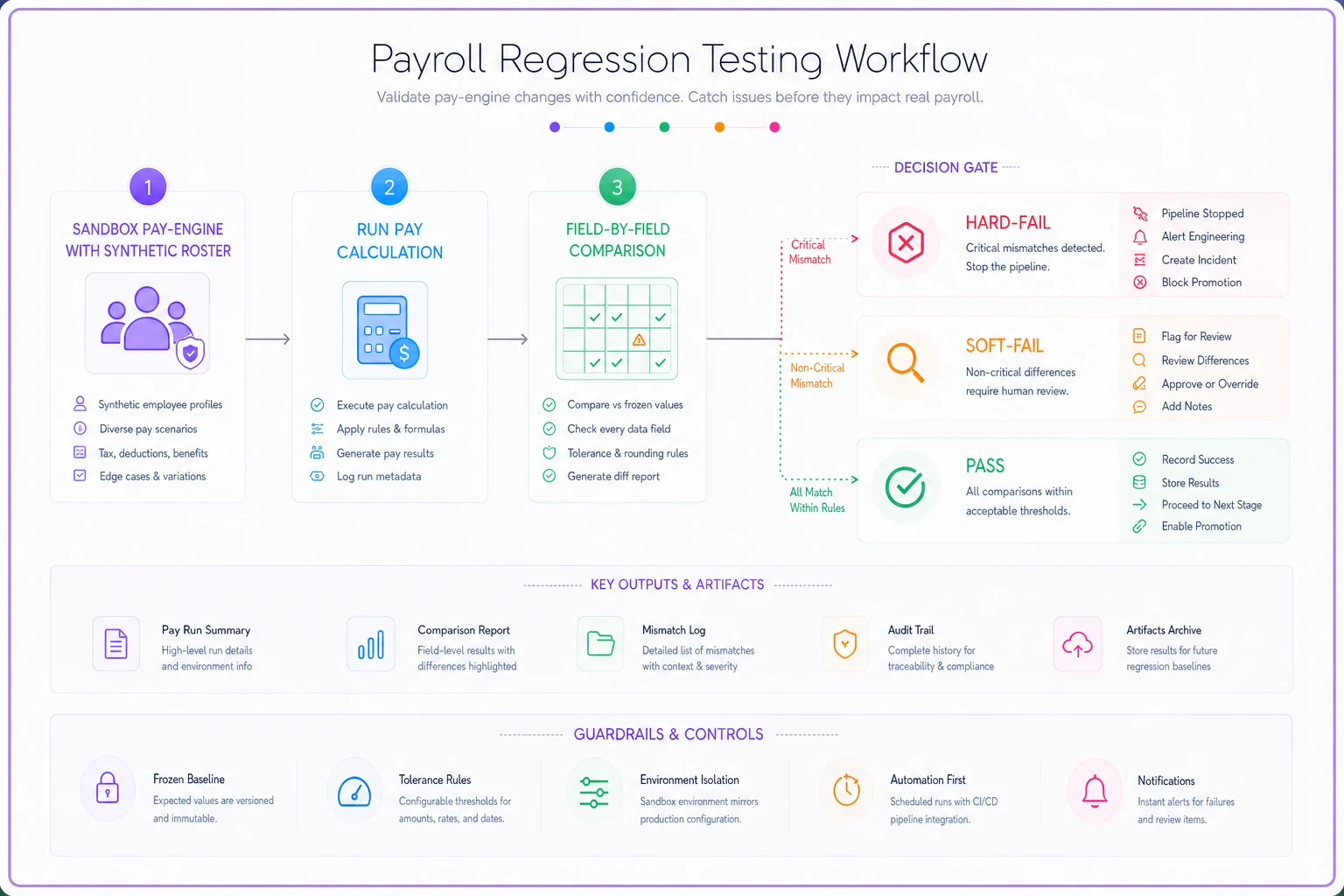
Any hard fail stops everything. Investigate, fix, re-run. Soft fails go to whoever owns the change — usually payroll lead plus finance — who either confirms the new value is correct and updates the golden record, or treats it as a real regression. Only when the board is fully green (or every soft fail has been explicitly reviewed) does the change move to live payroll.
The useful part: this same suite runs before every real pay run, not just before big changes. Ten minutes of synthetic testing catches config drift, accidental toggles, and "someone changed something and didn't tell anyone" — which is the root cause behind most surprise payroll errors.
This connects to your broader validation habits — the deeper reconciliation work covered in pre-filing payroll validation recipes catches errors in this period's real data, while regression testing catches errors in the logic that processes any period's data. You want both. One checks the numbers, the other checks the machine that makes the numbers.
A checklist for building your first synthetic suite
Starting from nothing, work through this in order:
-
- [ ] Pick 8–12 scenarios that, if broken, would cause a real problem (start with whatever's bitten you before)
-
- [ ] Build one synthetic employee per scenario with the minimum traits needed to trigger it
-
- [ ] Hand-calculate the correct output for each — gross, each tax, each deduction, net
-
- [ ] Get finance to sign off on those expected values, then freeze them
-
- [ ] Write acceptance rules as exact field comparisons with explicit tolerances
-
- [ ] Define which failures are hard (block) vs soft (review)
-
- [ ] Decide where the suite runs — sandbox, staging, or a parallel run
-
- [ ] Set the rule
no change or pay run goes live with any hard fail open
-
- [ ] Log every golden-value update with a reason
The most common early mistake is making synthetic employees too complicated. One employee that tests overtime and garnishment and multi-state at once tells you nothing useful when it fails — you can't tell which rule broke. Keep them single-purpose.
Real scenario: a 60-person construction firm
A mid-sized construction contractor ran payroll every two weeks across two states, with prevailing-wage jobs mixed in. Their process was manual review of the register before approval.
Their provider pushed a routine update that changed how mid-period rate changes were applied. On prevailing-wage jobs, workers frequently switch rates mid-period as they move between job classifications. The update caused the first rate of the period to apply to the full period instead of prorating at the switch point.
Nothing errored. The register looked normal — everyone got paid. But roughly 9 of their 60 employees were paid at the wrong blended rate. Underpayments ran somewhere in the $30–$120 range per affected check. It surfaced two pay periods later when a foreman compared his check against his job log, and it turned into back-pay corrections, an unhappy crew, and a nervous conversation about prevailing-wage compliance.
After that, they built a synthetic roster — nine fake employees, one of them a dedicated mid-period-rate-change tripwire (their SYN-003 equivalent). The next time the provider pushed an update, that tripwire hard-failed in the sandbox before anything touched live payroll. The check took about 15 minutes and relied on one afternoon of setup they'd already done. The prevailing-wage error never reached a real paycheck again.
The point isn't the tool. It's that a single, boring, single-purpose fake employee sitting permanently in a test roster caught a break that manual review had already missed once.
When this is worth it — and when it isn't
Regression testing earns its keep when you have any of: multiple pay rates, garnishments, multi-jurisdiction employees, frequent provider updates, or a history of payroll surprises. The more edge cases live in your payroll, the more a synthetic suite pays back.
When it's overkill: if you're a five-person shop, everyone's salaried, single state, no garnishments, and payroll hasn't surprised you in years — a full synthetic catalog is more overhead than it's worth. A short manual sanity check on totals is probably fine.
Who should not lean on this alone: teams treating a green test board as permission to skip understanding why numbers move. The suite tells you that something changed. It's still on a human to understand whether the change is correct. A passing suite where nobody updates or questions the golden values eventually rots — the expected numbers drift out of date and the tests stop meaning anything.
One more thing: keep your synthetic data genuinely synthetic. Fake names, fake SSNs, fake bank details. Don't clone a real employee "just to have realistic data." That turns your test roster into a data-exposure risk and defeats the point of controlled inputs with known answers. Locking down who can access these environments is part of the same discipline as your role-based access and audit-trail controls — the sandbox is still payroll infrastructure.
Where this leaves you
Payroll regression testing comes down to one idea: keep a permanent set of engineered fake employees whose correct answers you already know, and re-check them every time anything could have shifted. It's not glamorous. It's a small roster, a frozen answer key, and a rule that says nothing ships with a hard fail open.
But it converts payroll from "run it and hope the review catches problems" into "prove the logic still holds, then run it." That difference shows up the first time a routine provider update quietly breaks one narrow calculation — and your tripwire catches it in a sandbox instead of a real employee catching it in their bank account.
Start with the scenarios that have already burned you. Build a fake employee for each. Freeze the right answers. That's a suite you can grow, and it's the cheapest insurance in payroll operations.
Ready to simplify your payroll operations?
Join 2,000+ businesses using Payexly to reduce payroll overhead, ensure compliance, and enhance employee satisfaction.