

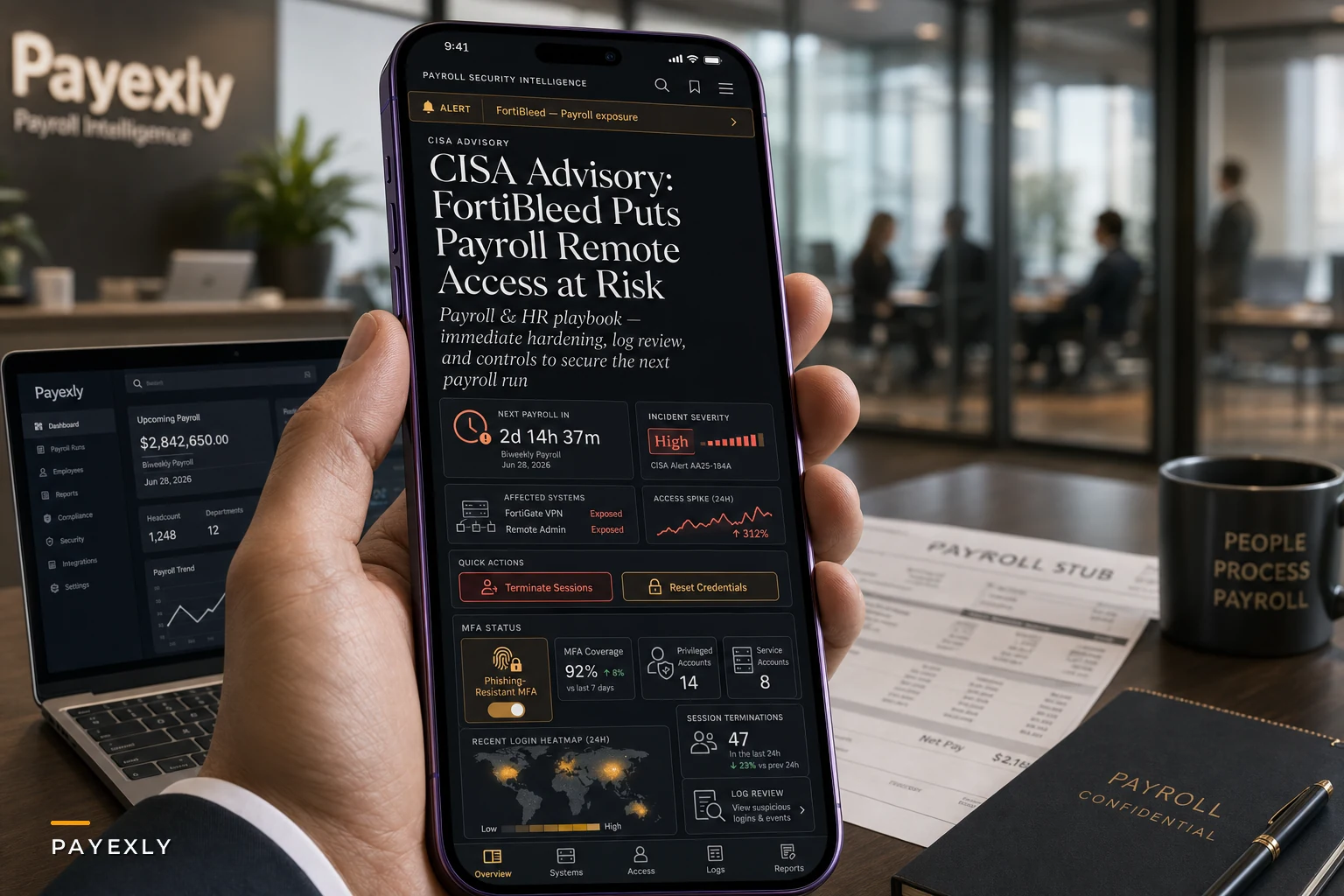

Last week's CISA alert about FortiBleed dropped at the worst possible time—right before month-end payroll runs. The credential harvesting campaign hit roughly 73,000 Fortinet VPN gateways, and if your company uses Fortinet for remote access, there's a real chance your payroll team's login credentials are now in the wrong hands.
The scary part isn't just the exposed passwords. Most mid-sized companies run their entire payroll operation through these VPN connections. Your HR manager in Denver logs into ADP through the company VPN. Your payroll processor in Austin connects to Paychex the same way. The accounting team reviewing direct deposits? Same VPN gateway that just got compromised.
The Immediate Triage Checklist
Run through this list now. Not tomorrow morning. Not after the staff meeting.
First 30 minutes:
-
Kill all active VPN sessions (yes, this will disconnect everyone)
-
Force password resets on every VPN account
-
Check your payroll system's login history for the past 72 hours
-
Screenshot any unusual access patterns before they rotate out of logs
-
Call your payroll provider's security team—they need to know
Next 2 hours:
-
Reset passwords on all payroll admin accounts (not just VPN)
-
Enable MFA on payroll systems if you haven't already
-
Pull a list of all recent payroll changes (new accounts, routing updates, address changes)
-
Cross-reference any changes made in the past week against your approval documentation
-
Lock down payroll system access to specific IP ranges temporarily
By end of day:
-
Review all pending payroll batches for anomalies
-
Verify direct deposit information hasn't been altered
-
Check for new users added to payroll systems
-
Document everything for potential regulatory reporting
-
Brief your executive team on potential exposure
Run through this list now. Not tomorrow morning. Not after the staff meeting.
What Actually Gets Compromised in Payroll Breaches
The damage from payroll breaches usually follows a pretty predictable pattern. Attackers don't immediately go for millions—they tend to be smarter than that.
Eliminate payroll errors and delays.
Payexly streamlines every payroll cycle ensuring accuracy and compliance.
- Automated payroll processing
- Real-time tax compliance
- Benefits & deductions management
No credit card required
They start small. Maybe they redirect one executive's direct deposit to a different bank. Or they add a ghost employee with a modest $3,400 bi-weekly salary that doesn't raise flags. Sometimes they just sit in the system for weeks, pulling W-2s and building profiles for identity theft campaigns that won't surface until tax season.
The more sophisticated attacks target year-end processing. They wait until you're rushing through W-2 corrections and 1099 filings, then slip in fraudulent tax documents. By the time employees spot incorrect withholdings on their returns, the damage has been spreading for months.
| Attack Type | Timeline to Discovery | Average Loss | Recovery Time |
|---|---|---|---|
| Direct deposit redirect | 1-2 pay cycles | $8k-15k per incident | 2-3 weeks |
| Ghost employee creation | 3-6 months | $40k-120k | 4-6 weeks |
| Mass W-2 theft | 2-4 months | Regulatory fines + lawsuits | 6-12 months |
| Payroll data manipulation | 1-3 quarters | $25k-80k in corrections | 8-10 weeks |
Understanding the pattern matters because it shapes how you investigate. A single changed bank account might be nothing. The same change appearing across three departments in one pay period is a different conversation entirely.
The Deeper Operational Problem This Exposes
VPN breaches have a way of revealing something uncomfortable about how most companies handle payroll access security. Decent controls exist on paper—approval workflows, dual authorization, quarterly access reviews. In practice, those controls often exist in isolation from the actual authentication infrastructure.
Think about your current setup. Your payroll manager has VPN access, Windows domain credentials, an ADP login, probably access to your HRIS, and likely admin rights to your time tracking system. Each one has its own password policy, its own timeout settings, its own audit logs. When credentials get exposed through something like FortiBleed, you're not dealing with one compromised account—you're dealing with five or six interconnected access points that all need immediate attention.
The real vulnerability isn't the VPN. It's that payroll teams typically reuse passwords across systems because managing 15 different complex passwords is genuinely impossible without proper tools. That exposed VPN password probably looks a lot like their Paychex password, their QuickBooks password, and their email password.
Most companies only discover this interconnected mess during a breach. Suddenly you're trying to figure out which systems authenticate through Active Directory, which ones have standalone credentials, which ones use SSO, and which ones haven't been updated since 2019. Meanwhile, your next payroll run is 48 hours away.
Building Emergency Access Controls
Right now you need tactical fixes, not a complete security overhaul.
Temporary access restrictions:
Set up IP whitelisting for your payroll systems immediately. Yes, this will annoy remote workers. Yes, you'll get complaints. Do it anyway. Limit payroll system access to your main office IPs and specific home IPs for critical staff. You can loosen these restrictions once you've verified account integrity.
Emergency approval workflows:
For the next 30 days, require verbal confirmation for any payroll changes over $1,000. Not email—actual phone calls. Create a simple tracking sheet with columns for: request time, requester, approver, verification method, and completion time.
Keep a secure list of approved home IPs to avoid locking out critical staff when you enable IP restrictions.
Segregate payroll processing:
Split responsibilities temporarily. One person enters data, another reviews, a third approves. It slows things down, but it catches anomalies that might slip through during the chaos of credential resets.
The Reality of Payroll System Logs
Payroll system logs are usually terrible for forensic analysis. ADP might show you "User logged in at 2:34 PM" but won't tell you from where, what they accessed, or what they exported. Paychex gives you slightly more detail, but logs rotate every 30 days. Gusto has decent activity tracking, but you have to manually export it before it disappears.
According to TechCrunch's reporting on FortiBleed, attackers had been harvesting credentials for weeks before the exposure became public. That means you need to look back at least 60 days in your logs—but most payroll platforms have already purged that data.
Your best options for forensic analysis:
-
Email confirmations of payroll changes (check sent folders)
-
Bank statements showing ACH originations
-
Your accounting system's audit trail
-
Time clock adjustment reports
-
Employee complaint tickets about incorrect pay
Build a timeline working backward from any anomalies you find. One changed direct deposit might be user error. Three changed direct deposits in one pay period across different departments is a different story.
Who Should NOT Attempt Self-Remediation
Some situations shouldn't be handled internally. If any of these apply, get professional help now.
You process payroll for more than 500 employees. Multi-state tax filings, benefit deductions, and garnishment orders mean a single corrupted payroll run could trigger months of corrections and penalties.
You're in healthcare or government contracting. These sectors have breach notification requirements that kick in within 24-72 hours. Missing those deadlines can trigger investigations that are worse than the original breach.
You haven't done a password reset in over 2 years. Your password management is already broken. A forced reset will likely lock out critical staff who don't remember security questions or have outdated recovery emails.
Your payroll team is fewer than 3 people. You don't have enough hands to simultaneously keep operations running while handling security remediation.
Preventing the Next Breach
Once you're through the immediate crisis, fix the systematic weaknesses that made this possible. The good news is that modern payroll access security doesn't require massive infrastructure changes.
Start with a business-grade password manager for your payroll team. Not the free version someone already uses personally—an actual solution with shared vaults and audit logs. This single change eliminates password reuse, which is how most breaches spread from one system to another.
Then map out your actual authentication chain. A simple spreadsheet showing which systems connect to which authentication providers. You'll probably find forgotten integrations, legacy systems that bypass your main authentication, and at least one critical system still running a shared login from years ago.
This is where properly designed role-based access models become essential. Instead of giving your payroll manager full admin rights to everything, you create specific roles with specific permissions. The person entering new employees shouldn't be the same person who can modify tax withholdings. The person pulling reports shouldn't be able to change direct deposit information.
The Automation Opportunity Hidden in This Crisis
Security breaches have a way of surfacing operational inefficiencies you've been quietly ignoring. When you're forced to manually verify every payroll change, you start noticing how many unnecessary manual touches exist in the normal workflow.
A typical mid-sized company handles somewhere around 40-60 payroll changes per pay period—new hires, terminations, raises, benefit changes, address updates. Each change moves through email approvals, spreadsheet tracking, and manual entry into multiple systems. During normal operations, this is just annoying. During a security incident, it becomes dangerous because you genuinely can't tell which changes are legitimate versus fraudulent.
Modern payroll platforms with built-in workflow automation can address both problems at once. Instead of email chains that can be spoofed, you get authenticated approval requests. Instead of spreadsheets anyone can edit, you get immutable audit logs. For companies running payroll for 100-300 employees, this kind of automation typically cuts manual payroll tasks by more than half while eliminating most common entry errors. More importantly for security, it creates clear separation between request, approval, and execution—making it significantly harder for a single compromised account to cause real damage.
Your 30-Day Security Roadmap
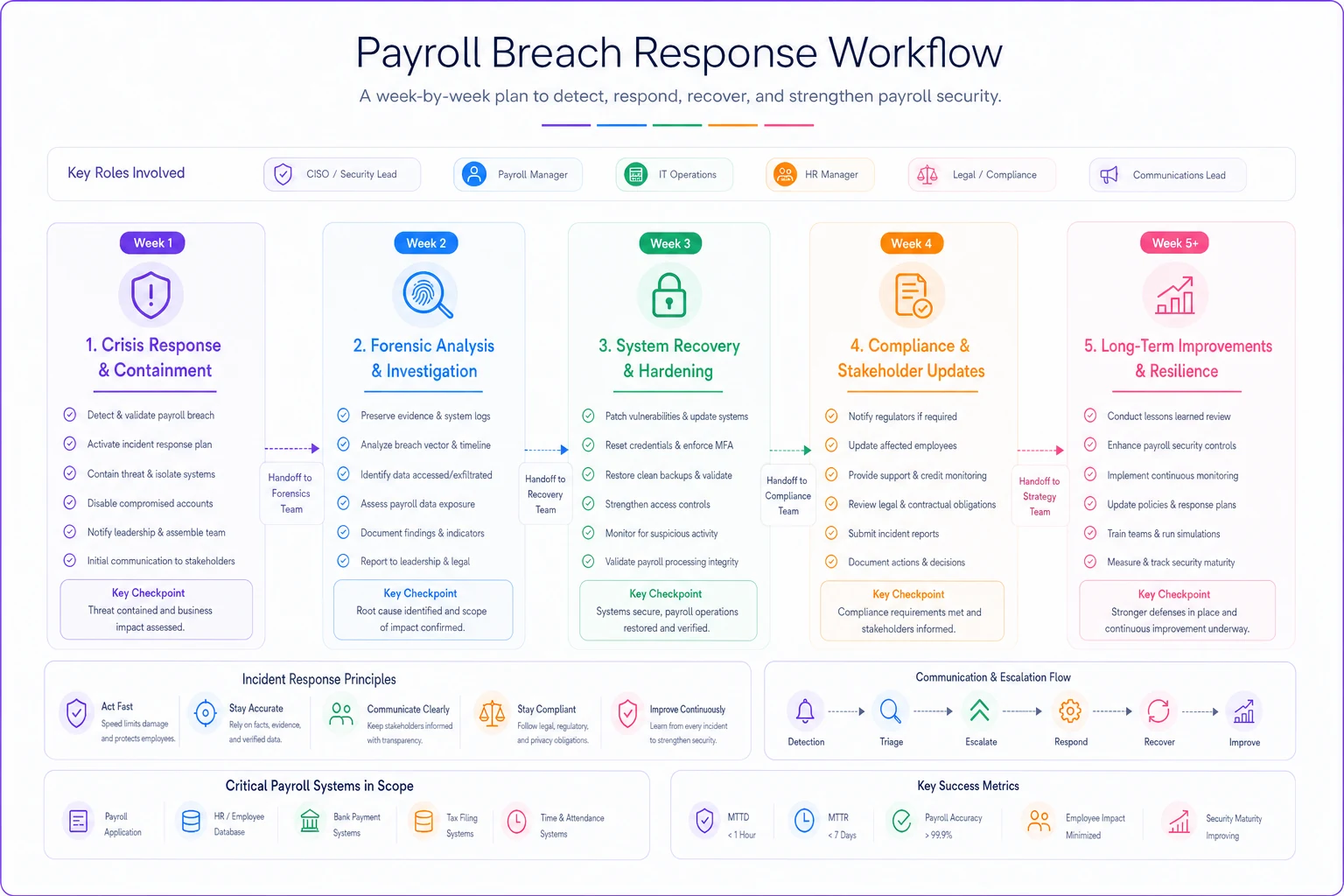
This visual outlines the week-by-week response workflow.
-
Week 1
Crisis Response ├── Complete immediate triage checklist ├── Reset all credentials ├── Verify payroll data integrity └── Document all findings
-
Week 2
Forensic Analysis ├── Review 60 days of access logs ├── Interview payroll team about unusual requests ├── Check with employees about pay discrepancies └── File required breach notifications
-
Week 3
Systematic Hardening ├── Implement password manager ├── Enable MFA everywhere possible ├── Set up IP restrictions └── Create emergency response procedures
-
Week 4
Long-Term Improvements ├── Design role-based access model ├── Automate approval workflows ├── Set up continuous monitoring └── Schedule quarterly access reviews
Moving through these phases in order matters.
Skipping straight to long-term improvements without completing the forensic work first means you might be hardening a system that's already compromised.
Final Thoughts
FortiBleed won't be the last mass credential exposure. These campaigns are getting more sophisticated, targeting the infrastructure companies assume is locked down. Your Fortinet VPN, your Cisco firewall, your SonicWall gateway—none of these are impenetrable anymore.
The companies that handle these incidents best are the ones that build their processes assuming a breach will eventually happen. They have offline backups of critical payroll data. They can reconstruct a pay run from source documents. They know exactly who has access to what and can revoke it within hours.
Payroll access security isn't a one-time project. Every new integration, every new team member, every system upgrade potentially opens new vulnerabilities. The goal isn't perfect security—that's not achievable. The goal is operations resilient enough to detect, contain, and recover from the breaches that will inevitably occur. Start with the emergency checklist, fix the immediate vulnerabilities, and use this as the push to modernize how your team handles payroll security going forward.
Payroll access security isn't a one-time project. Every new integration, every new team member, every system upgrade potentially opens new vulnerabilities. The goal isn't perfect security—that's not achievable. The goal is operations resilient enough to detect, contain, and recover from the breaches that will inevitably occur. Start with the emergency checklist, fix the immediate vulnerabilities, and use this as the push to modernize how your team handles payroll security going forward.
Ready to simplify your payroll operations?
Join 2,000+ businesses using Payexly to reduce payroll overhead, ensure compliance, and enhance employee satisfaction.